

How do I log out of all devices?


To log out of all of your devices, you will need to use Delete Credentials and Log Out Everywhere.
To do this, follow the steps below:
- Go to https://windscribe.com/login and log in to your account.
- Click on the My Account button on the top right or go there directly by pressing this link: https://windscribe.com/myaccount
- Open the Security tab and find the Access and Devices card.
- On the Delete VPN Credentials row, click Delete Credentials, then confirm with Delete VPN Credentials in the dialog.
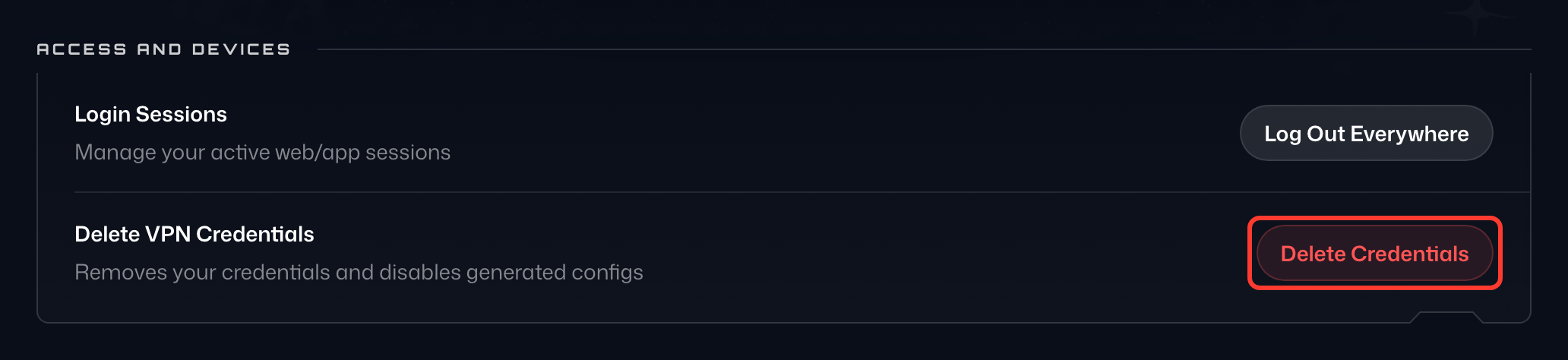
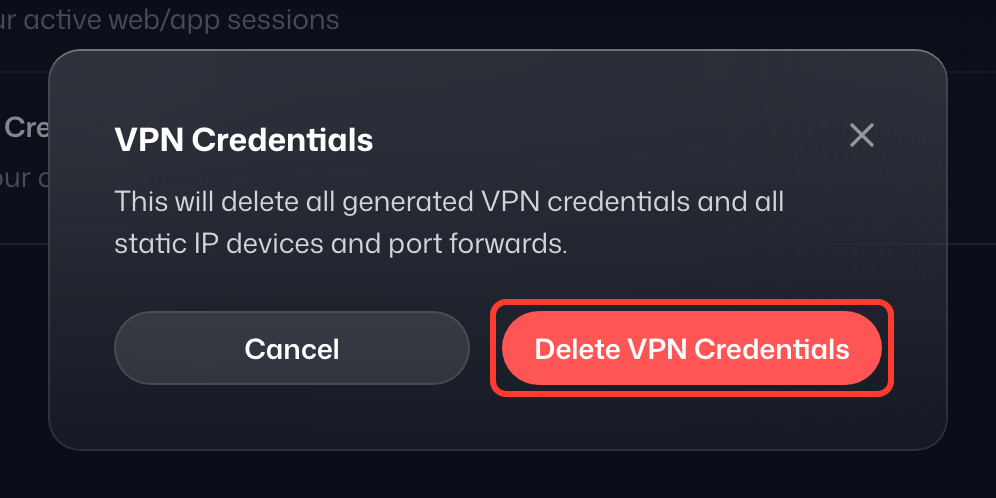
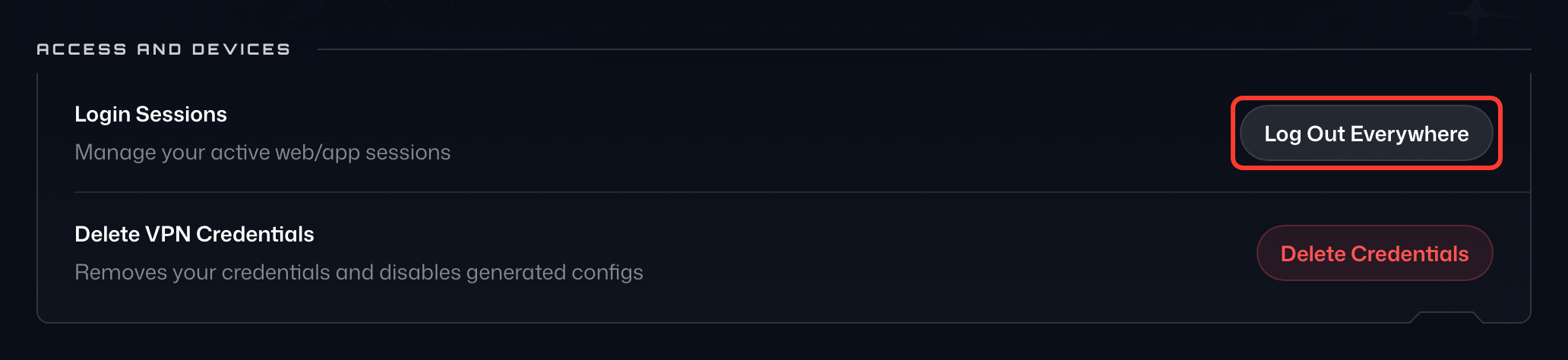
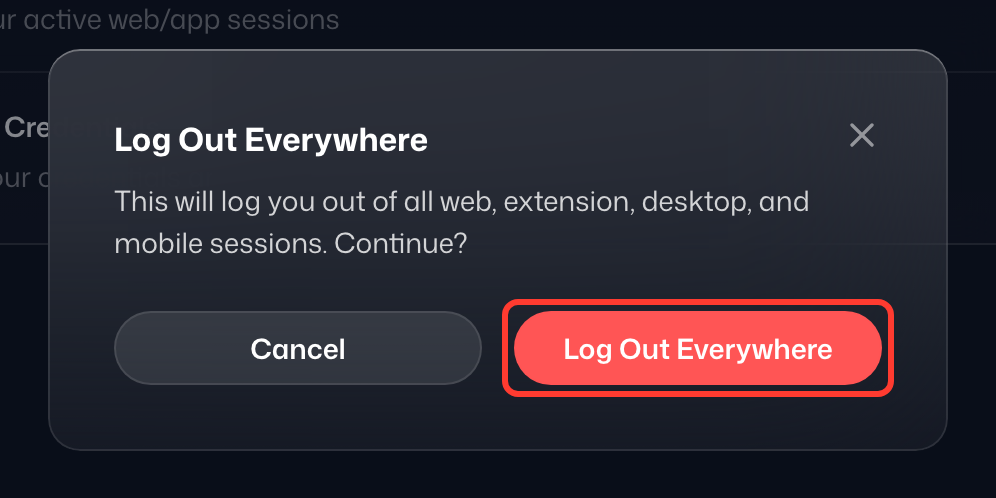
This terminates all VPN sessions that are linked to your account. Please keep in mind that this will also void all your custom config credentials for IKEv2, OpenVPN, and WireGuard, and any static IP devices and port forwards you've created. You will need to generate these again if you used them. - On the Login Sessions row, click Log Out Everywhere, then confirm with Log Out Everywhere in the dialog. This logs out every device, including the browser you are using, so do it last.
- If you are doing this because you suspect someone else may be using your account, we recommend that you also change your password and enable 2FA.
What do “Log Out Everywhere” and “Delete Credentials” mean?
Log Out Everywhere: Pressing this button will delete all current sessions (where you are logged in) and force you to log into the Windscribe apps and website again. This is very beneficial for several reasons and you might need it when you have temporarily signed in on another device, switched computers, think you have been hacked, or just want to quickly log out everywhere for peace of mind.
Delete Credentials: Pressing this deletes all VPN server credentials – such as the ones used for manual configs – and you would have to generate them again from our website. These are not your regular Windscribe username and password, those stay unaffected. While Log Out Everywhere will kill all your sessions, these are only in the Windscribe apps. Deleting VPN credentials allows things like router VPN setups to be disconnected as well so that no connection remains active. You would use this in cases such as when you believe your account has been hijacked and they’ve set up your configs on their router, or perhaps there's an old router with credentials still on it that you would like to nullify. That's where this button comes in.
The best and easiest thing to do would be to press both Delete Credentials and Log Out Everywhere, in that order. If the point is to get everyone off your account or clear out all your old, stale sessions, then just press both buttons, give it a minute and you'll be back to zero sessions and connections.
If you think or know that your account has been compromised and you want additional help, we want to help you sort it all out as quickly as possible, so feel free to contact us through Garry, our support assistant. If needed, Garry will pass your case on to our support team.